Pop a balloon to let them know.

One balloon, one pop, one message: arrived, all good. No location tracking, no account, no chat. For any age.

  • Coming soonApp Store
  • Coming soonGoogle Play

Currently in beta · iPhone and Apple Watch · free for seven days

An iPhone showing the WalkyPop start screen with the wordmark, a red balloon and a cat's paw, and next to it an Apple Watch with the balloon with a face waiting on it

How it works

Four screens, one message.

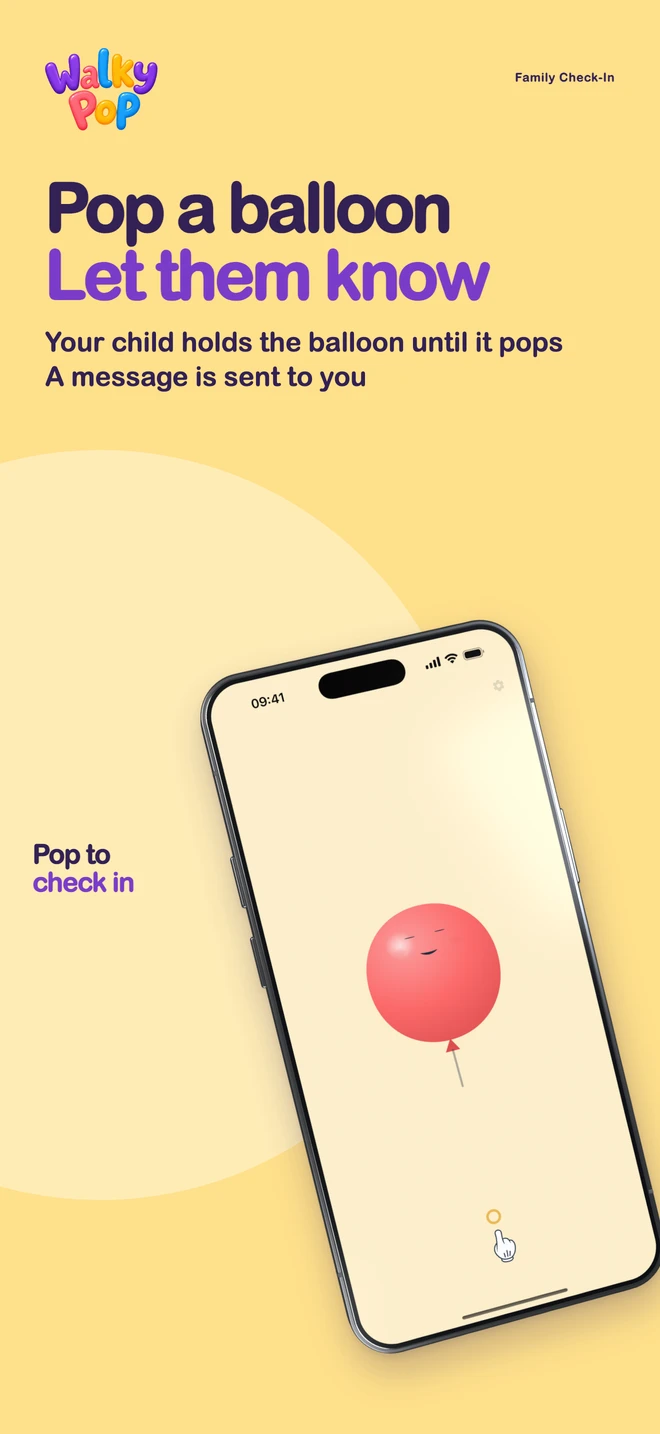
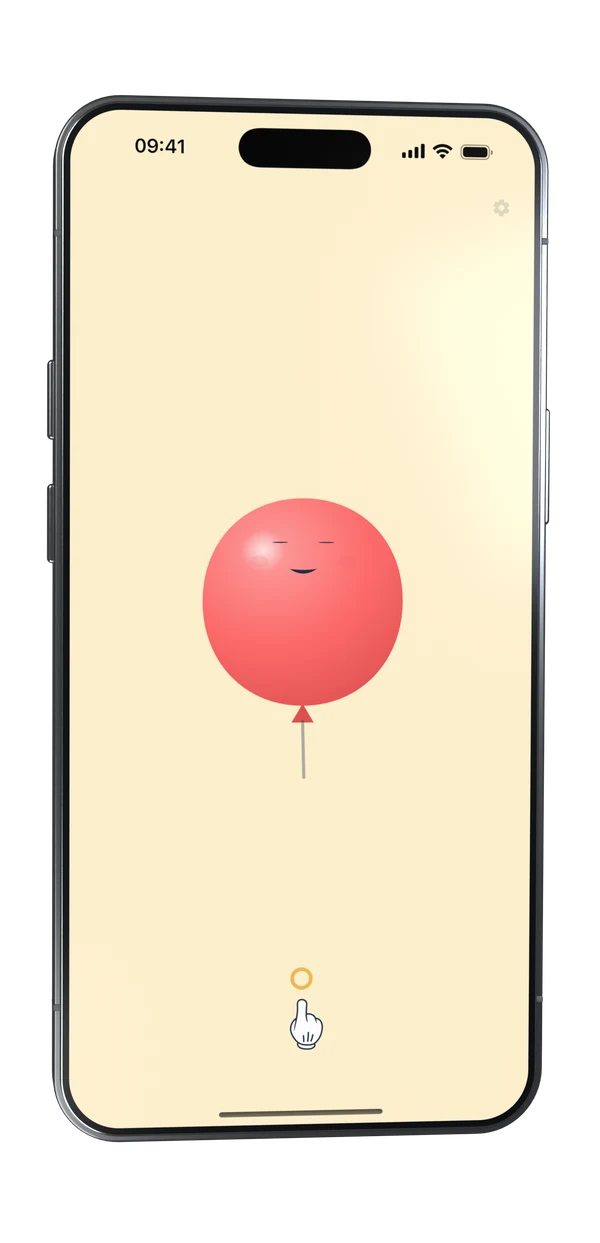
  1. The child's screen: a red balloon with a face on a cream background, with a pointing glove below as a hint

    Step 01: Hold until it pops.

    A second and a half. The balloon swells, starts to tremble, and bursts. That is all the sending side can do, and all it needs to.

  2. Blue sky with a large white check mark in the middle

    Step 02: Done.

    A white check mark is the receipt. Then a new balloon rises into the sky and waits there for a reply.

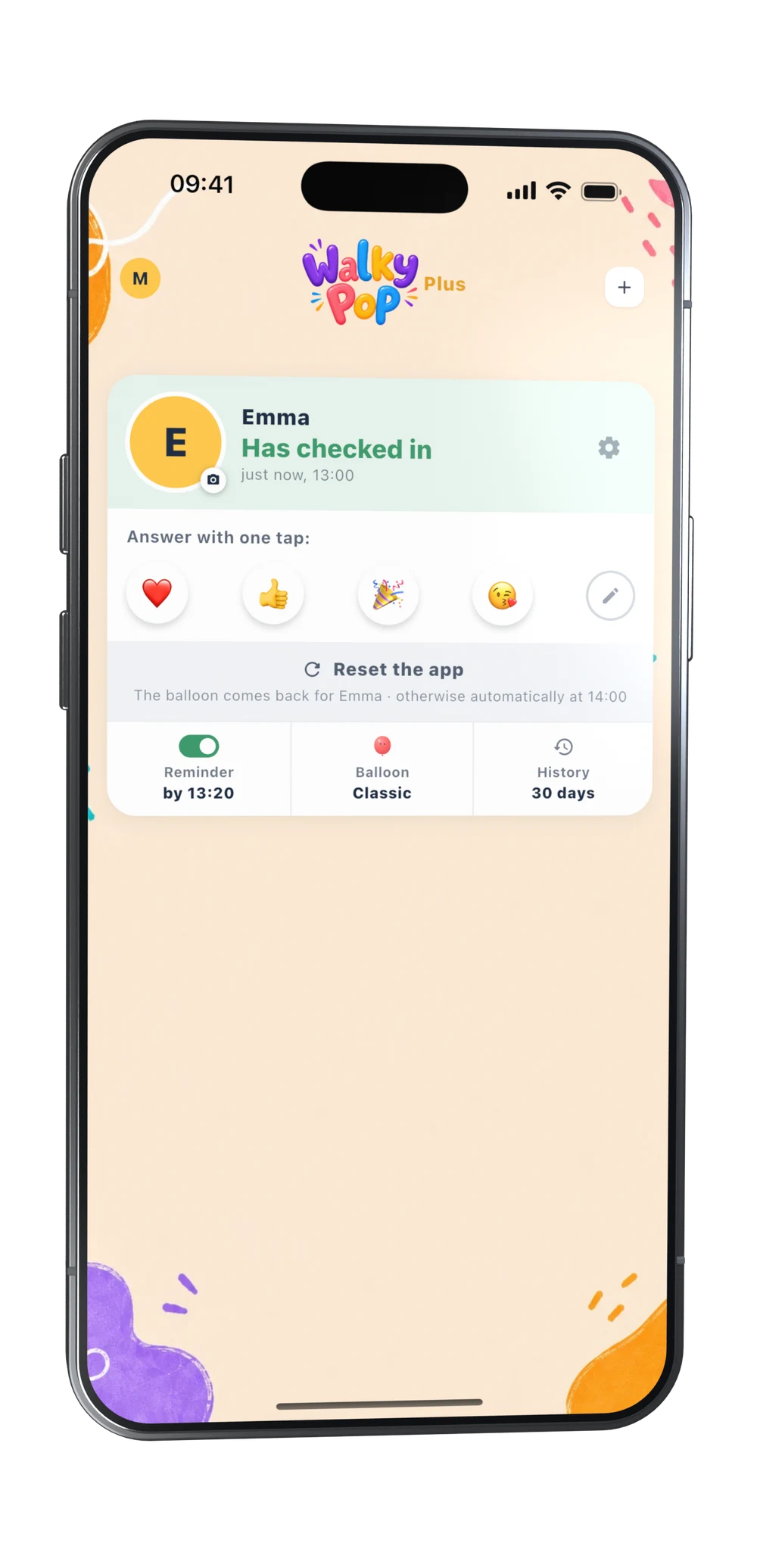
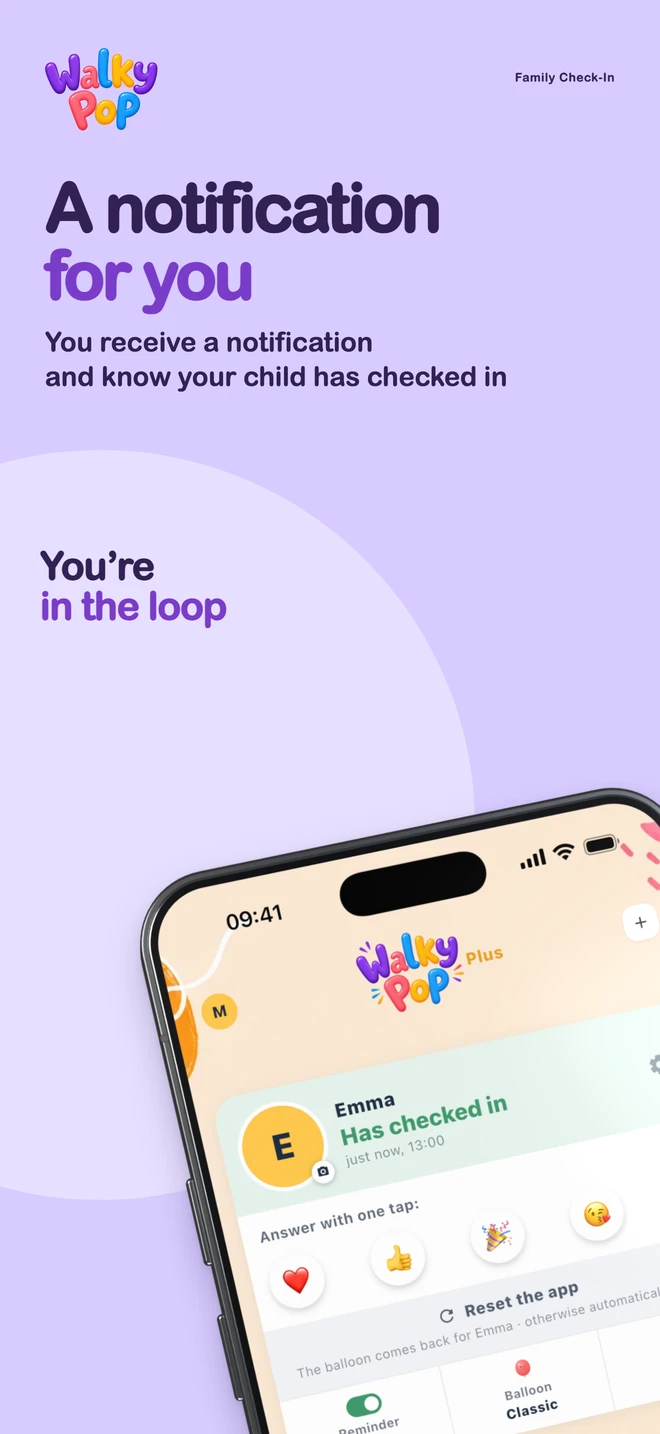
  3. The parent view: Emma's card reading “Checked in”, a row of emoji to reply with, and a note about the trial period

    Step 03: “I'm here!” arrives.

    As a notification on every paired phone. The card reads “Checked in” with the time, and a row of emoji below. One tap, and that is all there is.

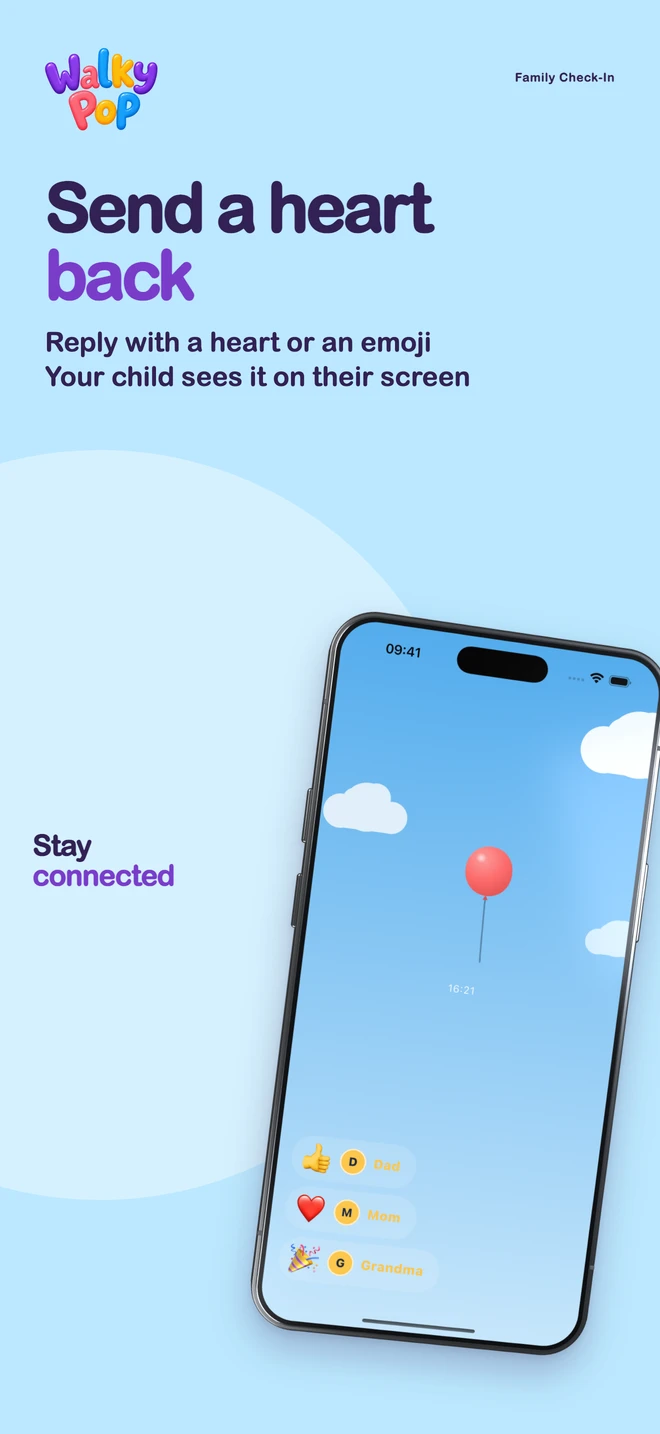
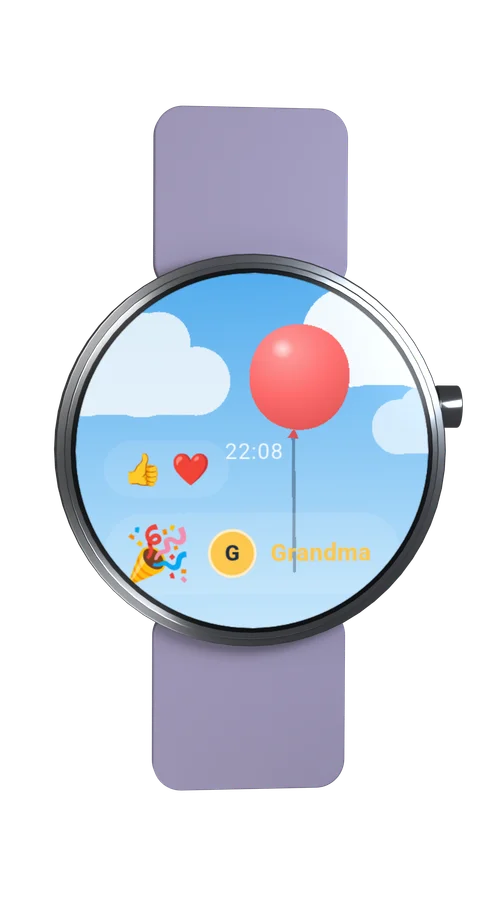
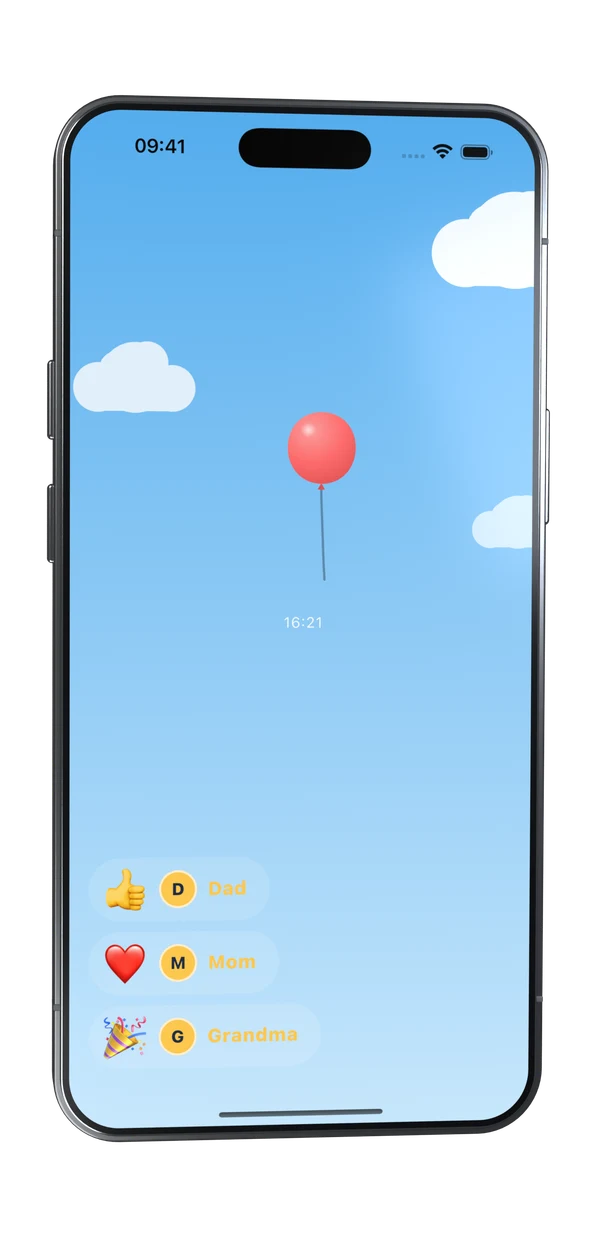
  4. The child's waiting sky with the balloon at the top and four reply bubbles below: thumbs up, party, kiss, heart, each with photo and name

    Step 04: The reply lands in the sky.

    On the sender's side as a bubble: emoji, photo, name. Dad, Grandma, Grandpa: every adult exactly once.

Why WalkyPop

Not another chat.

A family chat can do everything, and that is exactly the problem: between photos, voice messages and “who's picking up today?”, the one message you are waiting for gets lost.

WalkyPop has exactly one purpose. No messages, no groups, no history to scroll through. That is why a child who cannot read yet can use it, and why no adult is overwhelmed by it.

One check-in, one reply, peace.

Everyday

For any age

WalkyPop has no text, no form of address and no tone that sounds too young or too old. There is only the signal. That is why it fits wherever someone wants to give a quick sign without starting a conversation.

  • The walk to school: arrived, no phone call needed
  • The way home from the station, late in the evening
  • After practice, after rehearsal
  • Arrived at Grandma's, at Dad's, at a friend's
  • Landed safely, home safely
  • A quiet “I'm fine” in between

The child's side

Simple enough for five-year-olds

The WalkyPop app icon: a red balloon with a face

The sending side is practically free of text. It knows exactly one gesture, and nobody has to explain it: hold until it pops. Children who cannot read yet manage just fine, and those who can read need not work their way through a menu.

Letting go works until the very last moment; the balloon then softly shrinks back. There is no negative feedback anywhere. The balloon squeaks while inflating, bangs when it bursts, and the phone vibrates along, so the child feels that it worked.

55 balloon shapes to choose from, from a football to a dino, plus a favorite color. Between two check-ins the balloon waits under a sky that follows the time of day: touchable, draggable and fun to pop, without sending anything.

The settings sit behind a faint gear that wants to be held for 1.2 seconds. Behind it, three numbers are spelled out as words: those who can read get through. For a child, everything is an exit, never an error.

  • The balloon gallery: classic, football, dino, unicorn, rocket and many animals as small balloons to choose from

    55 shapes, set by the parents

  • Light blue daytime sky with clouds, the rising balloon and a first reply bubble

    Day, 7 am to 5 pm: the first reply is in

  • Sunset-red sky with a pale moon and the rising balloon

    Dusk, 5 pm to 9 pm

  • Dark purple night sky with stars, a crescent moon and the rising balloon

    Night, from 9 pm

The parents' side

One card per child. One emoji as a reply.

Everything else that belongs to it sits in the card's footer, and never needs to be searched for.

  • Header: “Checked in · 2:15 pm” or “All quiet”: the one question that matters. Below it “Last …”, and that is all the statistics you get.
  • Replies: One tap on an emoji, done. Every adult replies exactly once; whoever has replied is listed below. There is no text field anywhere.
  • Reset: “Reset app” brings the balloon back on the child's side. Otherwise that happens by itself after an hour.
  • Footer: Reminder (a time per weekday), balloon (shape and color), history (30 days, then deleted).
  • Your profile: Photo and name: exactly what the child sees with every one of your replies. Mom, Dad, Grandma, Grandpa, or a name of your own.
  • Several children, several adults: One card per child, stacked. Every adult on their own phone, and everyone sees the same check-in.
  • The parent view with three child cards stacked: Emma has checked in, Jonas and Rose-Adele are all quiet

    Dashboard with three children

  • The profile sheet with a photo avatar, the name suggestions Mom, Dad, Grandma, Grandpa and the notifications switch

    Your profile: this is who you are to your child

  • The balloon picker: a large red balloon in the preview, color dots below and a row of shapes

    Emma's balloon: shape and favorite color

  • The reminder sheet with weekdays, a time picker and the switch “Notify me too”

    Reminder, in case nothing came in by a set time

Asking for a pop

Without pressure.

Sometimes you want the check-in before the child thinks of it. Then you ask for a pop. It is a prompt, not an order, and deliberately not a second channel: there is no reply other than the pop.

  • On the parents' side: As long as all is quiet, the card quietly reads “Ask for a pop”. One sentence, one button, optionally a note of up to 60 characters.
  • On the child's side: A notification arrives on the phone, “Will you pop a balloon for me?”, and in the app the request hangs from the balloon string as a photo tag. No second button; the balloon remains the only one.
  • The pop is the answer: The card jumps back to the normal check-in state, and you reply with an emoji as always. The history reads “Asked by Mom”, note included.
  • No timer, no expiry, no “didn't respond”: If the pop does not come, nothing happens. You can withdraw the request at any time, and the tag disappears on the child's side.
The child's screen with the balloon; a small white tag with the photo of the person asking for a pop hangs from the string
Close-up: balloon, string and the photo tag of the pop request
Up close: the tag on the string. On the watch it hangs there in miniature.

Pairing

A QR code you show each other.

No account, no sign-in, no invitation email. A device is either a child or an adult, and family is whoever has scanned each other.

  1. The role choice at first launch with the two buttons “I'm the child” and “I'm a parent”

    Step 1: Pick a role.

    On every device at first launch: “I'm the child” or “I'm a parent”. Can be changed later.

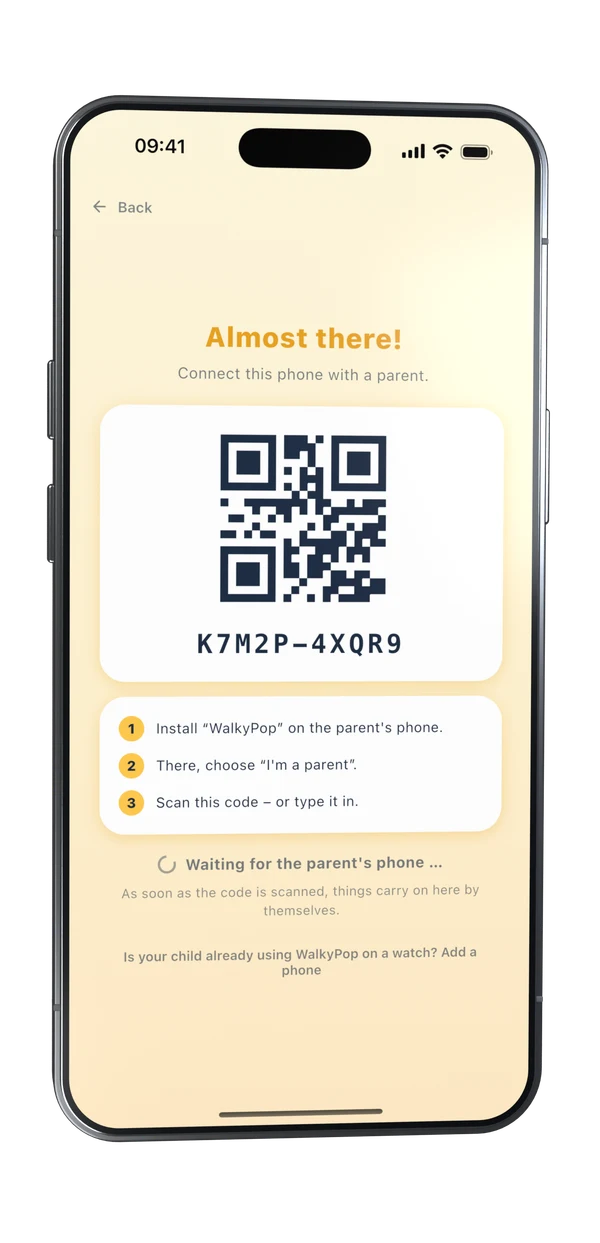
  2. The child's device shows “Almost there!”, a QR code, the code K7M2P-4XQR9 to type in and three numbered steps

    Step 2: Scan the code.

    The child's device shows its code, the parent's device scans it and gives the child a name. Camera acting up? Ten characters to type instead.

  3. Emma's settings with the invitation QR code, the code to type in and the rows Name & photo, Reminder and Balloon

    Step 3: More adults.

    The same code sits behind the gear in the child's settings. One scan per person; everyone sees who is paired and can remove someone.

On purpose

What WalkyPop does not do

  • No location tracking

    WalkyPop processes no location data and never even asks for the permission. The app tells you THAT someone has arrived, not where.

  • No account

    No sign-up, no email, no password. Devices pair via a QR code you show each other.

  • No chat

    There is no text input, in either direction. The reply is an emoji, nothing else. Nothing anyone from outside could write onto the child's screen.

  • No alarm

    No emergency call, no “hasn't checked in” alert. If the balloon stays quiet, things stay quiet.

  • No points, no streaks

    No display of how often or how reliably someone checks in. WalkyPop is a calming ritual, not a control tool.

  • No ads

    No advertising, no data monetization. The child's side knows no prices, no lock and no purchase screen: the child can always send.

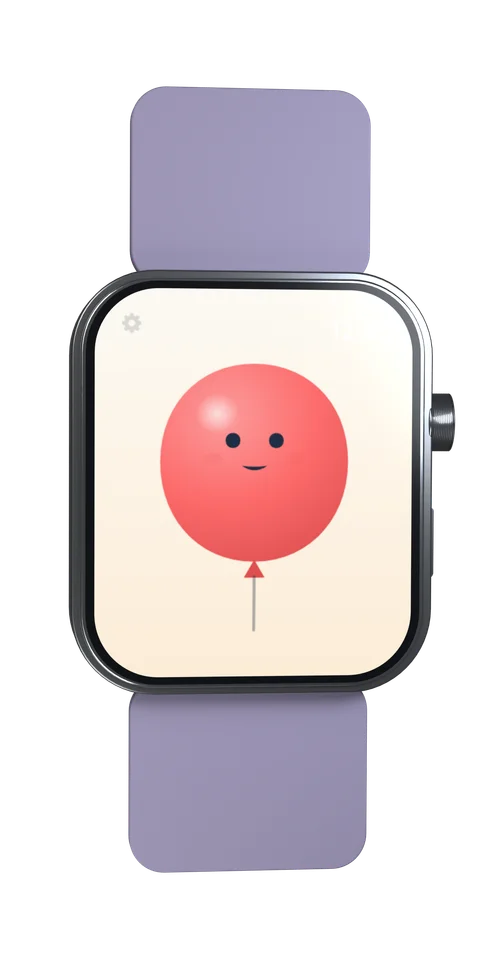
An Apple Watch with a light sport band, the red WalkyPop balloon with a face on the watch face

Apple Watch

Also on the wrist.

The sending side exists as a watch app of its own: the same balloon, the same single button, its own QR code on the watch face. It runs without an iPhone, so also on a watch set up through Family Setup whose wearer has no phone of their own.

A phone and a watch can stand for one child together; replies and pop requests then arrive on both. WalkyPop speaks 20 languages and automatically picks the device's.

WalkyPop Plus

One subscription, the whole family.

Plus is the subscription. There is no free tier with fewer features. Every parent phone starts with a seven-day trial at full scope, without entering any payment details. After that, a subscription keeps the parents' side open: one for the whole family, every paired adult on their own device.

  • €2.99per month
  • €24.99per year

    €19.99 for good if you decide during the trial: 20% off, permanently

Every subscription starts with a free week at Apple. The child can always send: child devices have no lock.

Prices shown for Germany. The App Store displays yours in your local currency. The purchase runs entirely through the App Store; we receive no payment details, no card number and no name.

Apple's Standard End User License Agreement (EULA) applies.

Ready when you are.

Free for seven days, then WalkyPop Plus. The child's side is always free, and nobody needs an account.

  • Coming soonApp Store
  • Coming soonGoogle Play